Notification Usage Permission Keeps Getting Revoked?
The system kills background processes periodically to save battery or RAM. The following settings can minimize the likelihood of background process termination:
If the notification access permission switch in auto-start management is already on, but the App indicates the permission is not enabled, please follow the App's indication - turn off and then turn on the notification access permission switch again.
Android 15
Android 15 users should first refer to Hidden Sensitive Notification Content? to ensure granting One Notify the RECEIVE_SENSITIVE_NOTIFICATIONS permission, otherwise message matching may be missed.
Xiaomi
| Set power saving policy to unrestricted | Enable service status display and persistent floating window |
|---|---|
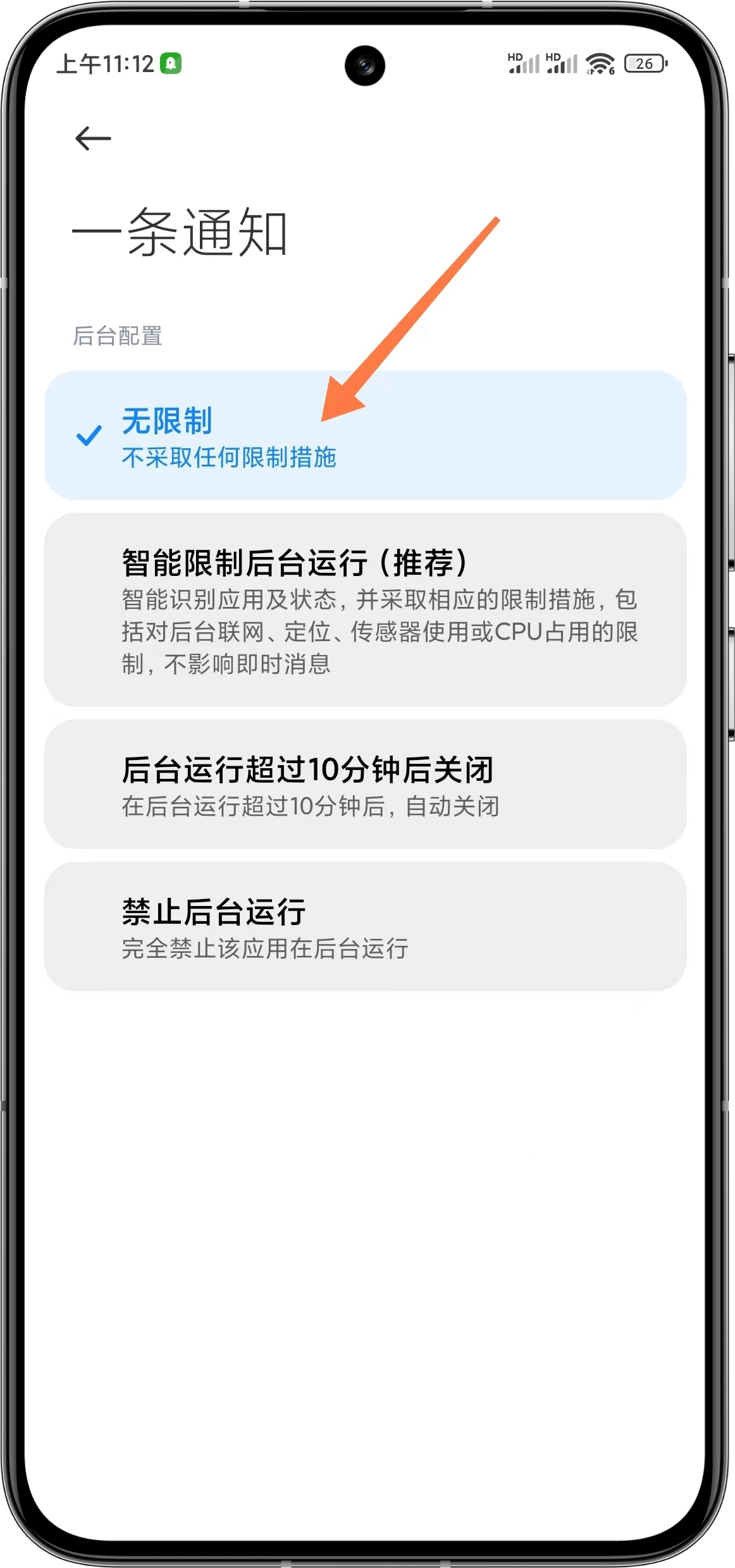 | 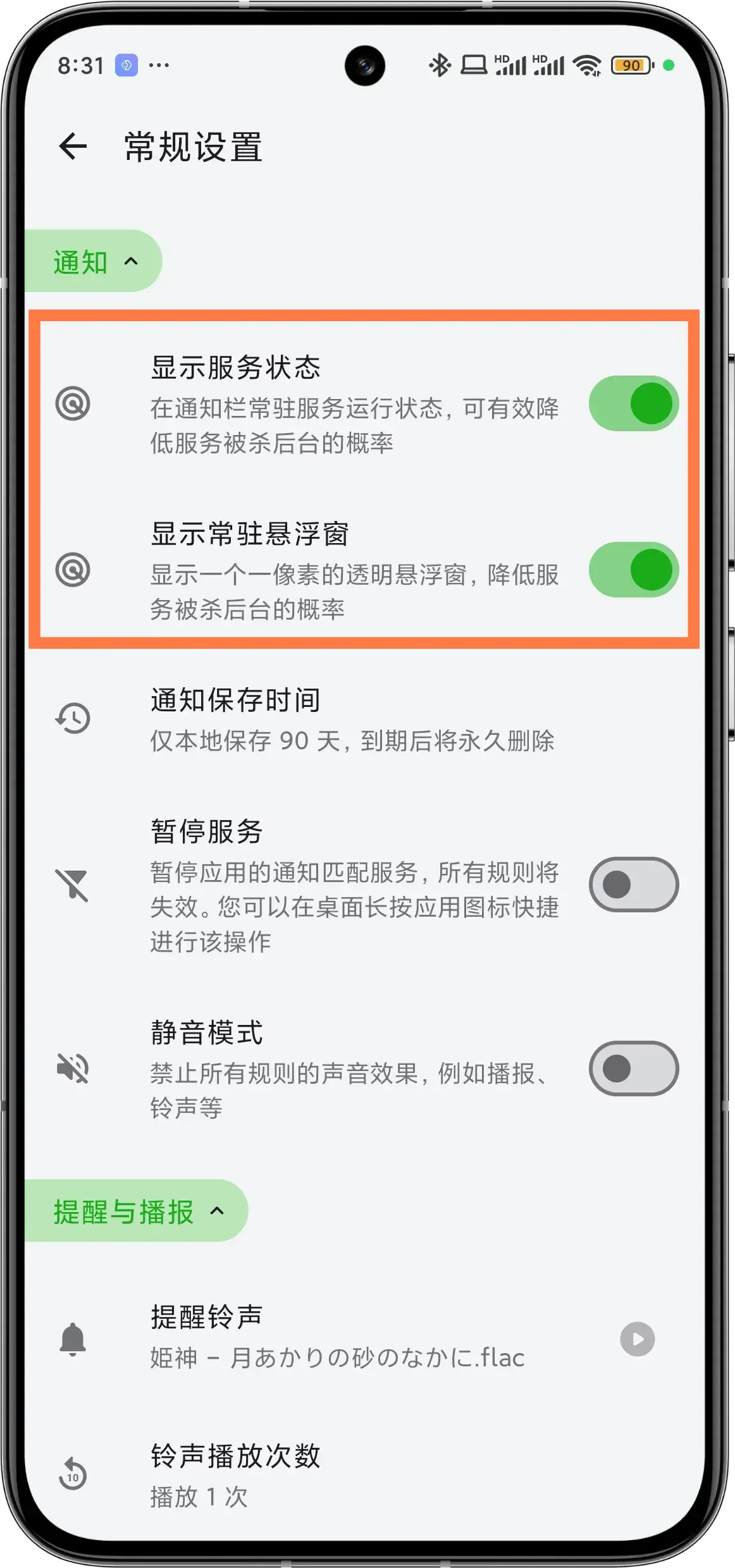 |
| Enable background running and ignore battery optimization | Enable background running |
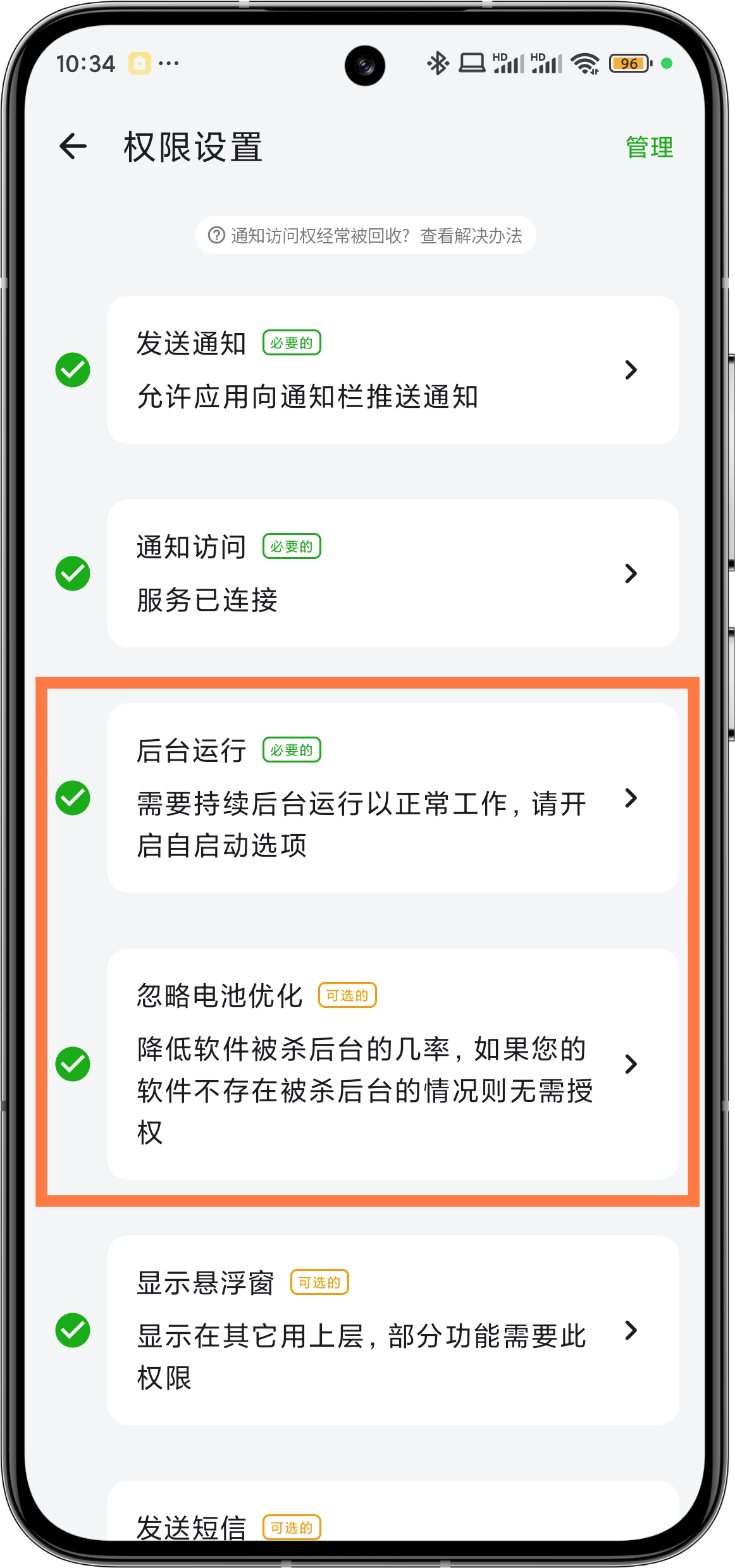 | 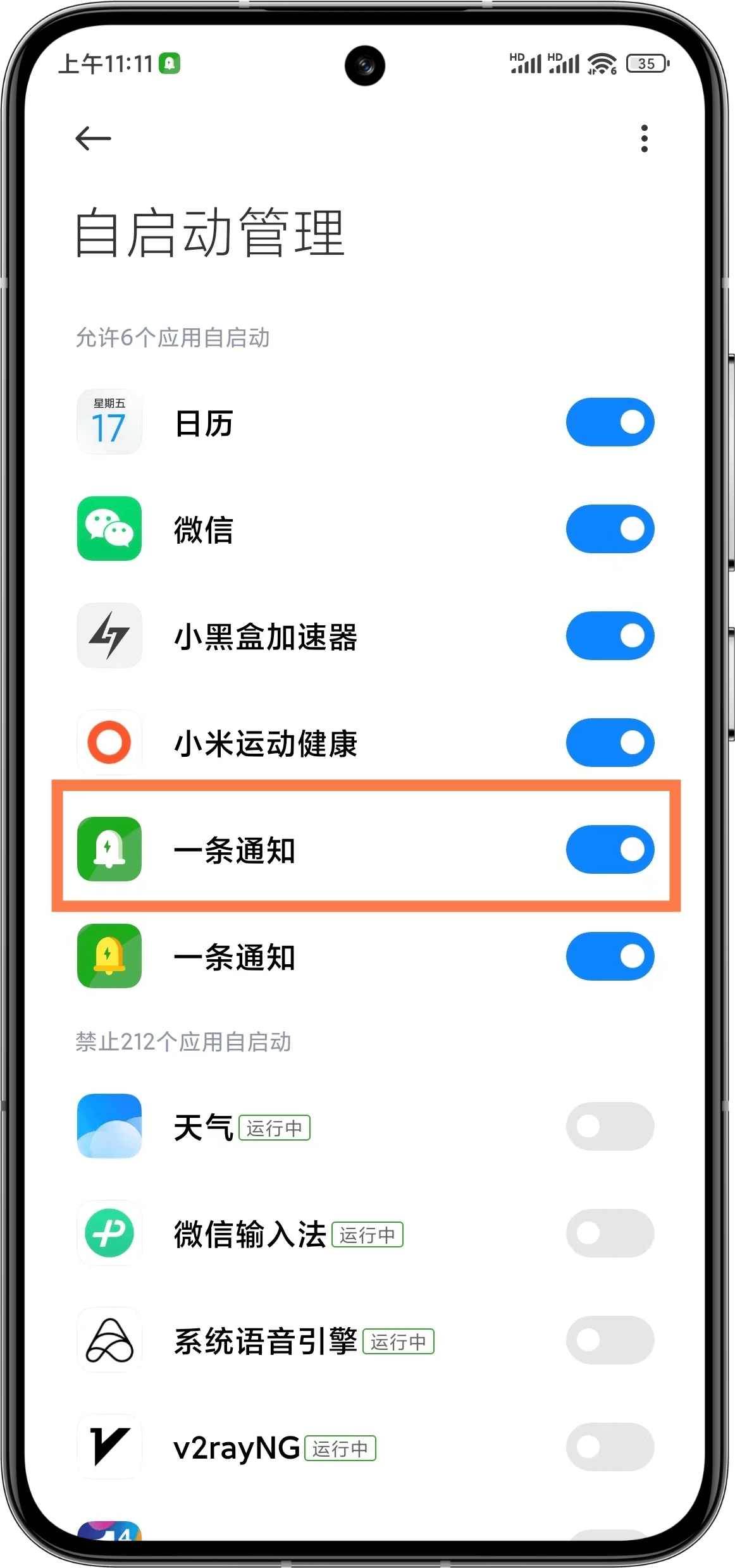 |
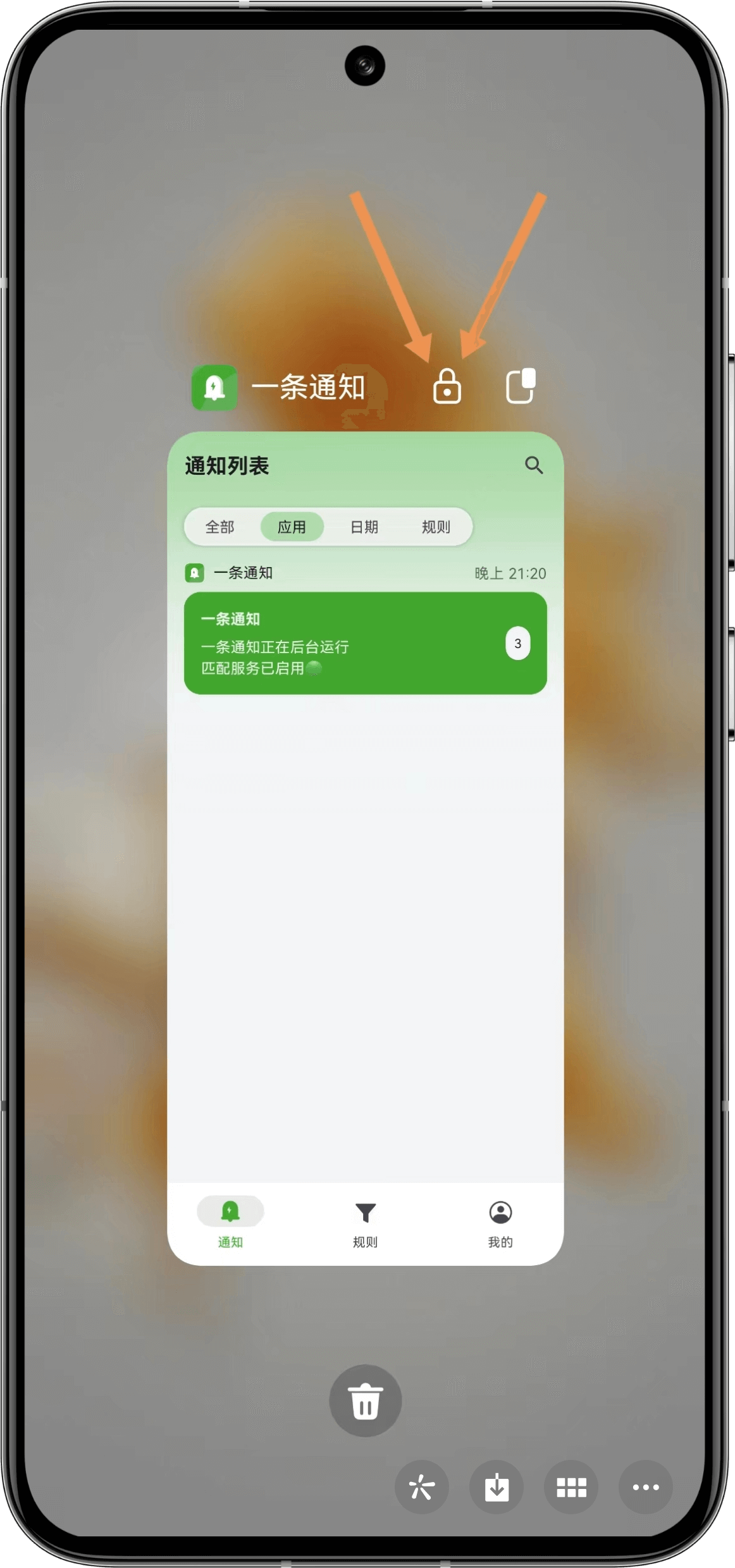
| Set background lock | Set background lock |
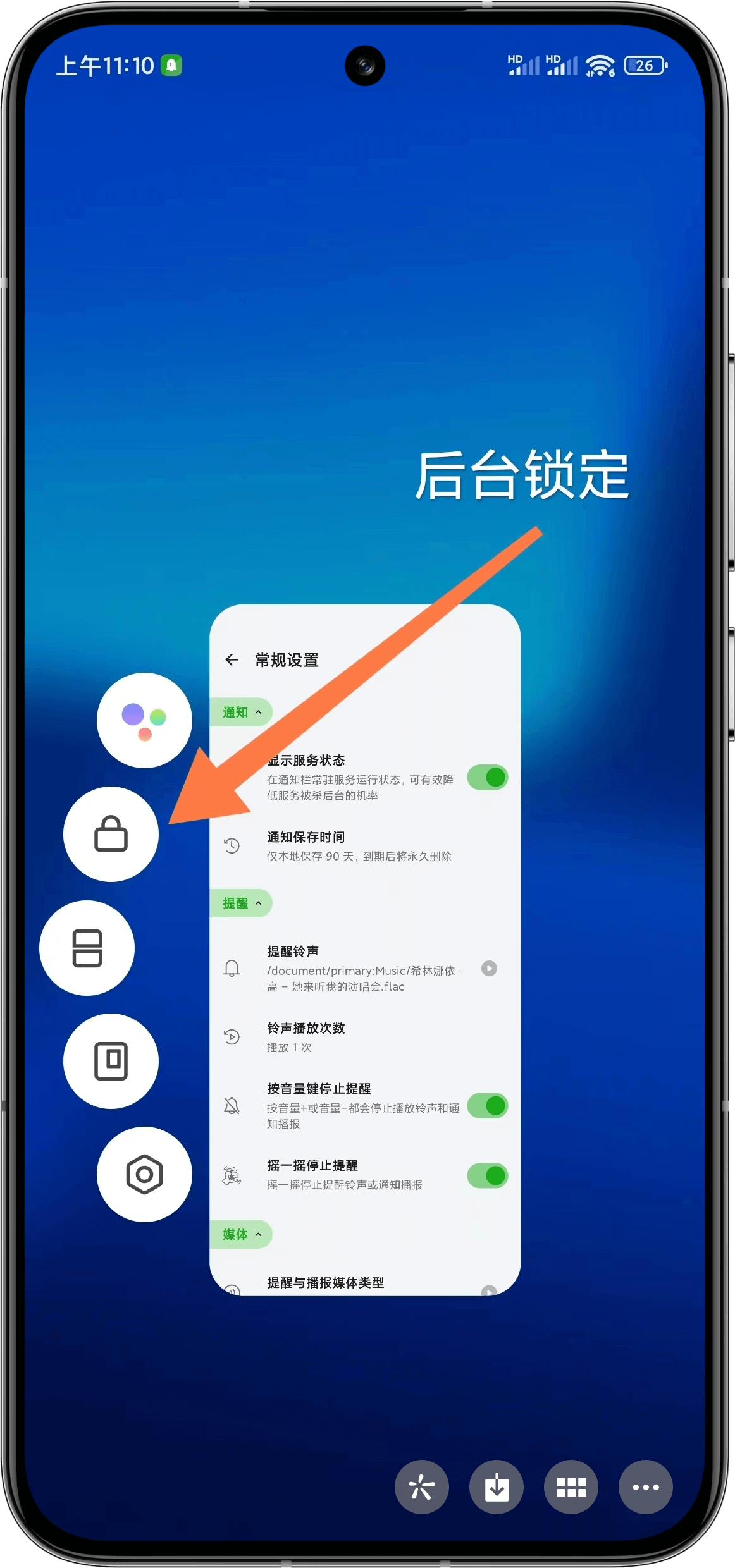 | 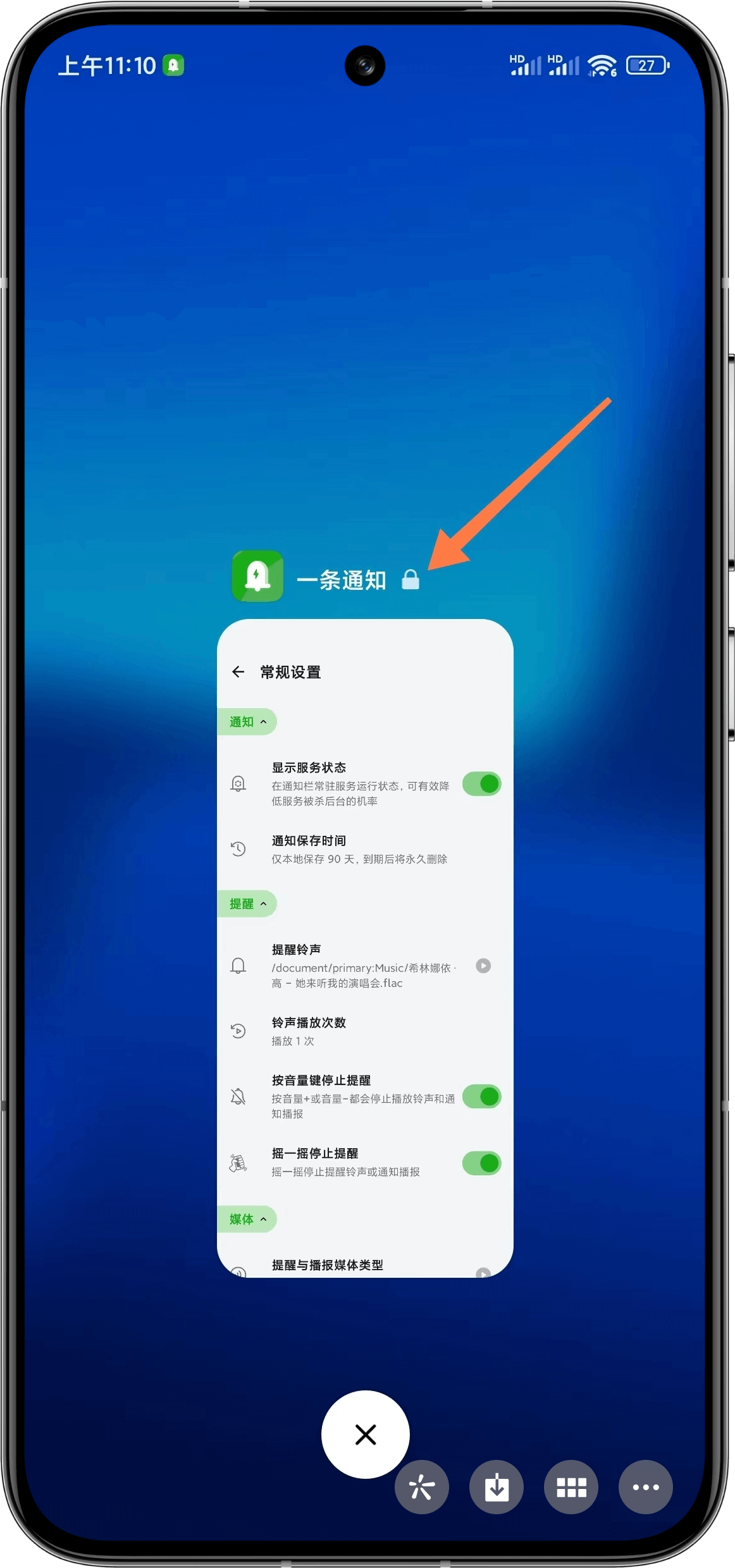 |
| Enable background hiding | |
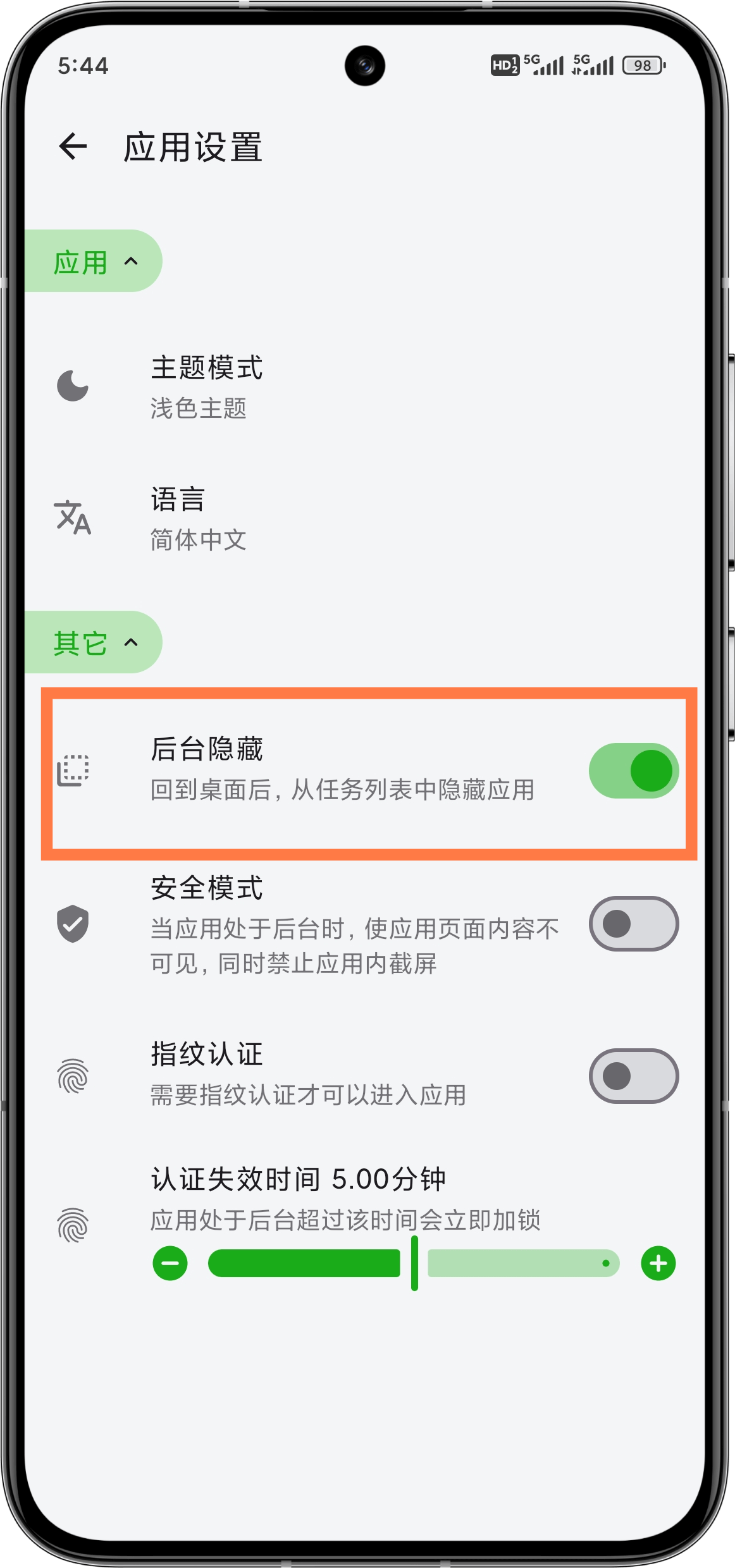 |
Huawei
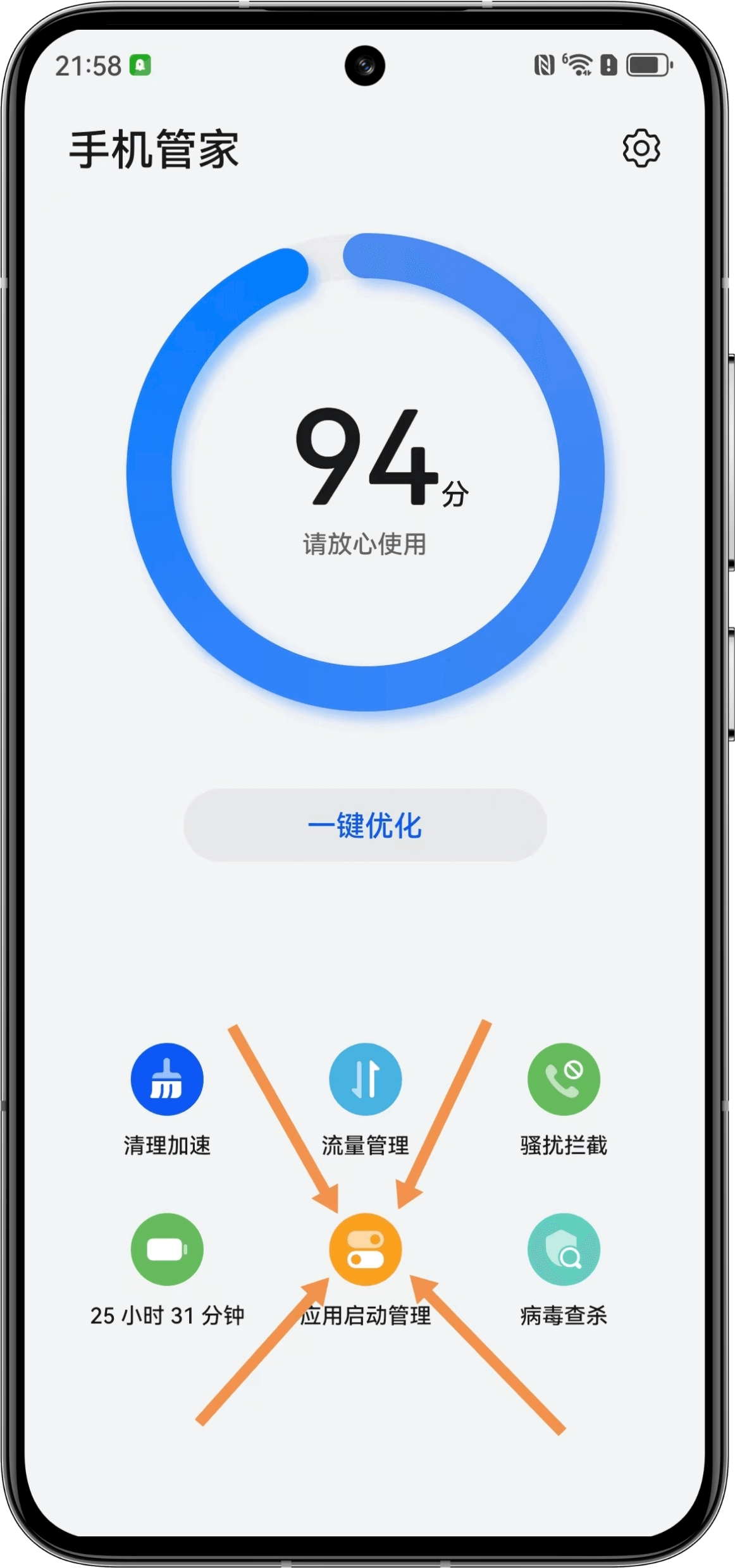
| Enable background running and ignore battery optimization | Open App Launch Management in Phone Manager |
|---|---|
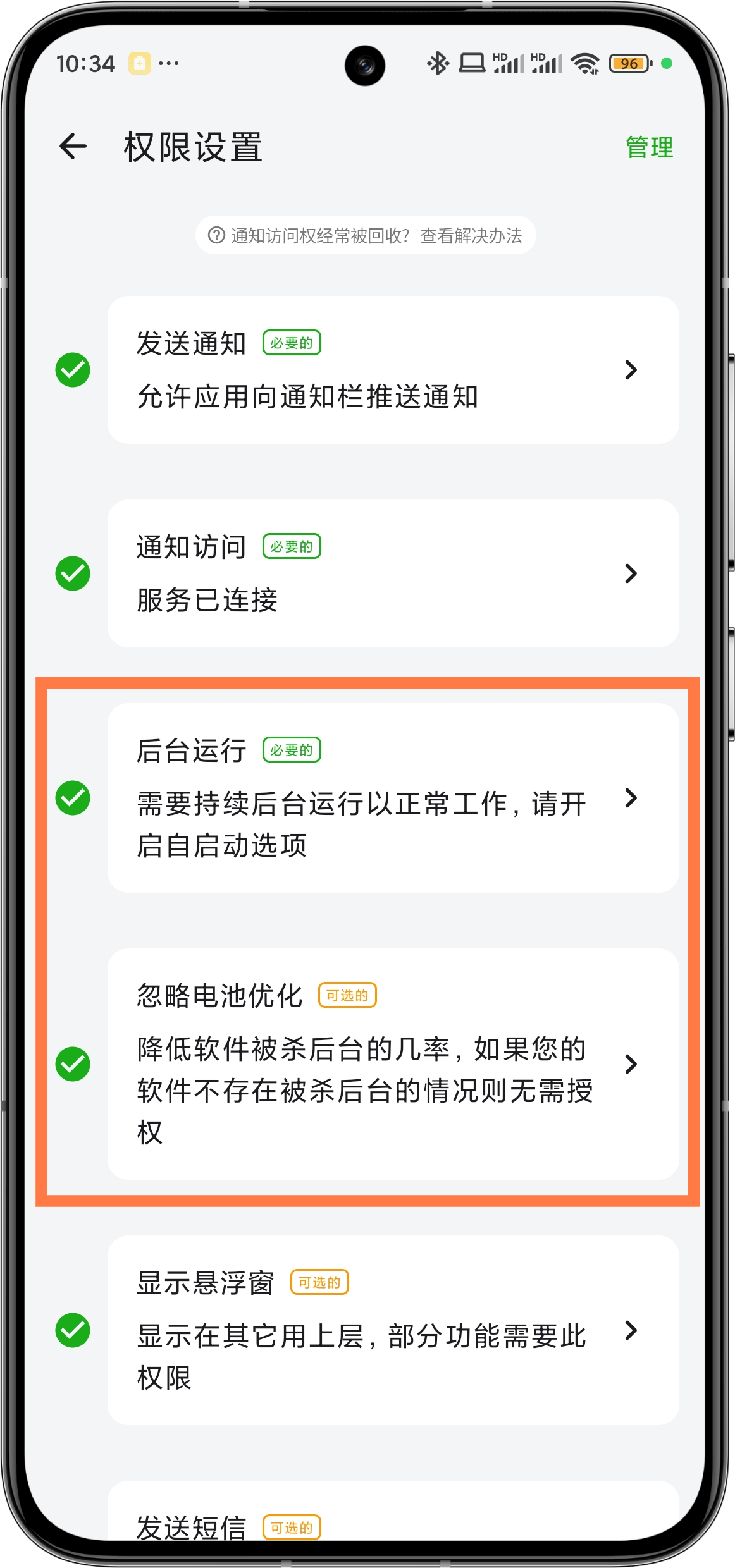 |  |
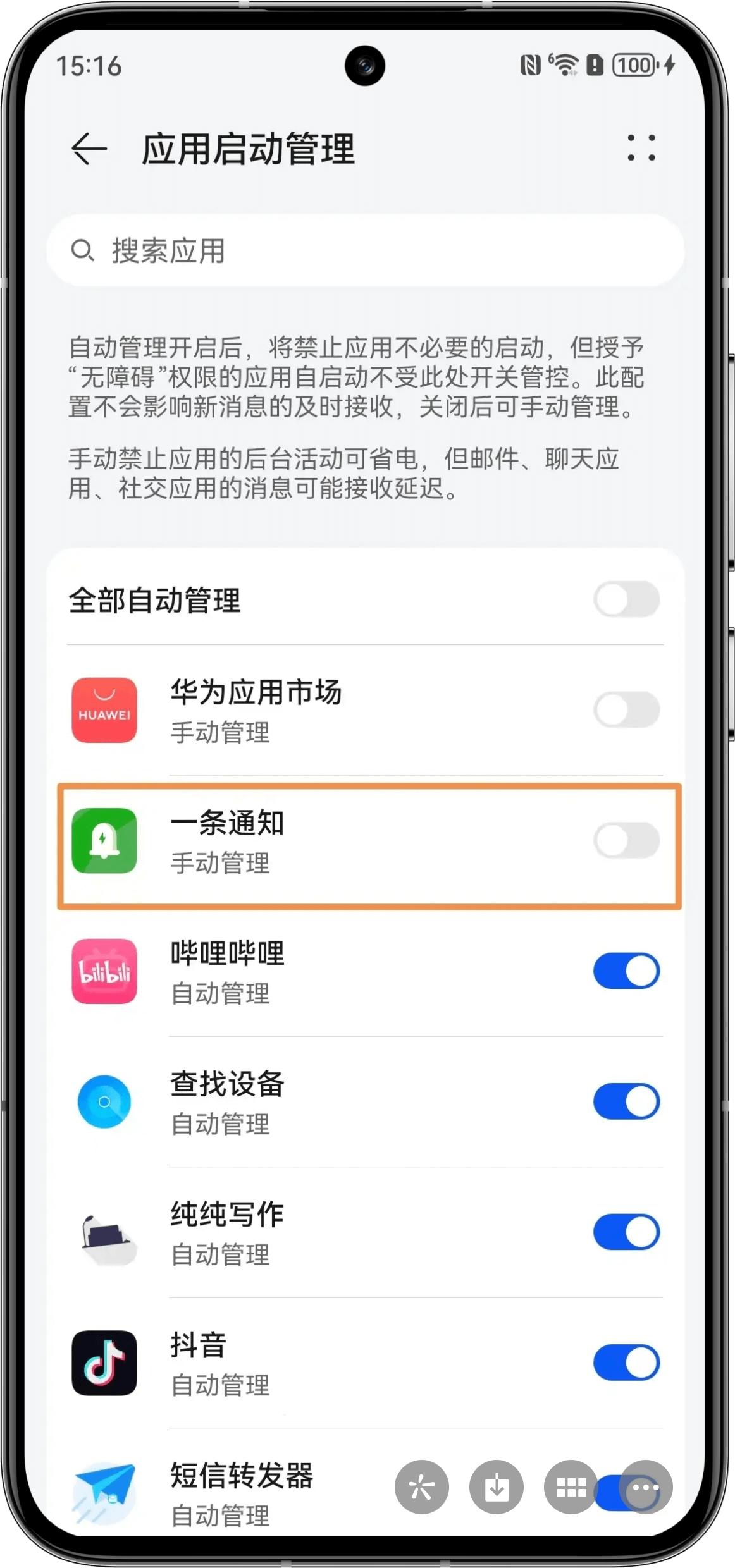
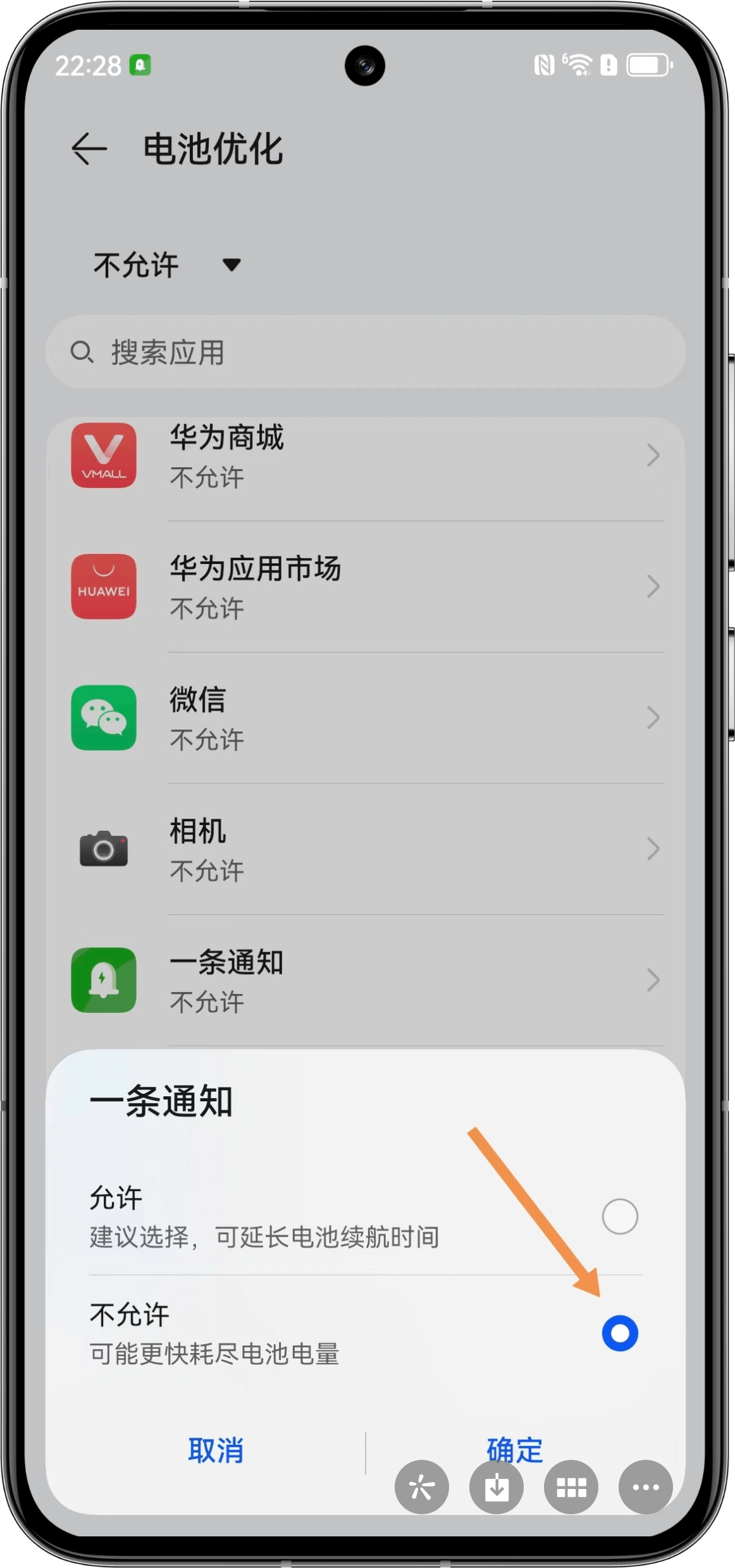
| Turn off switch, set to manual management | Set to not allow battery optimization |
 |  |
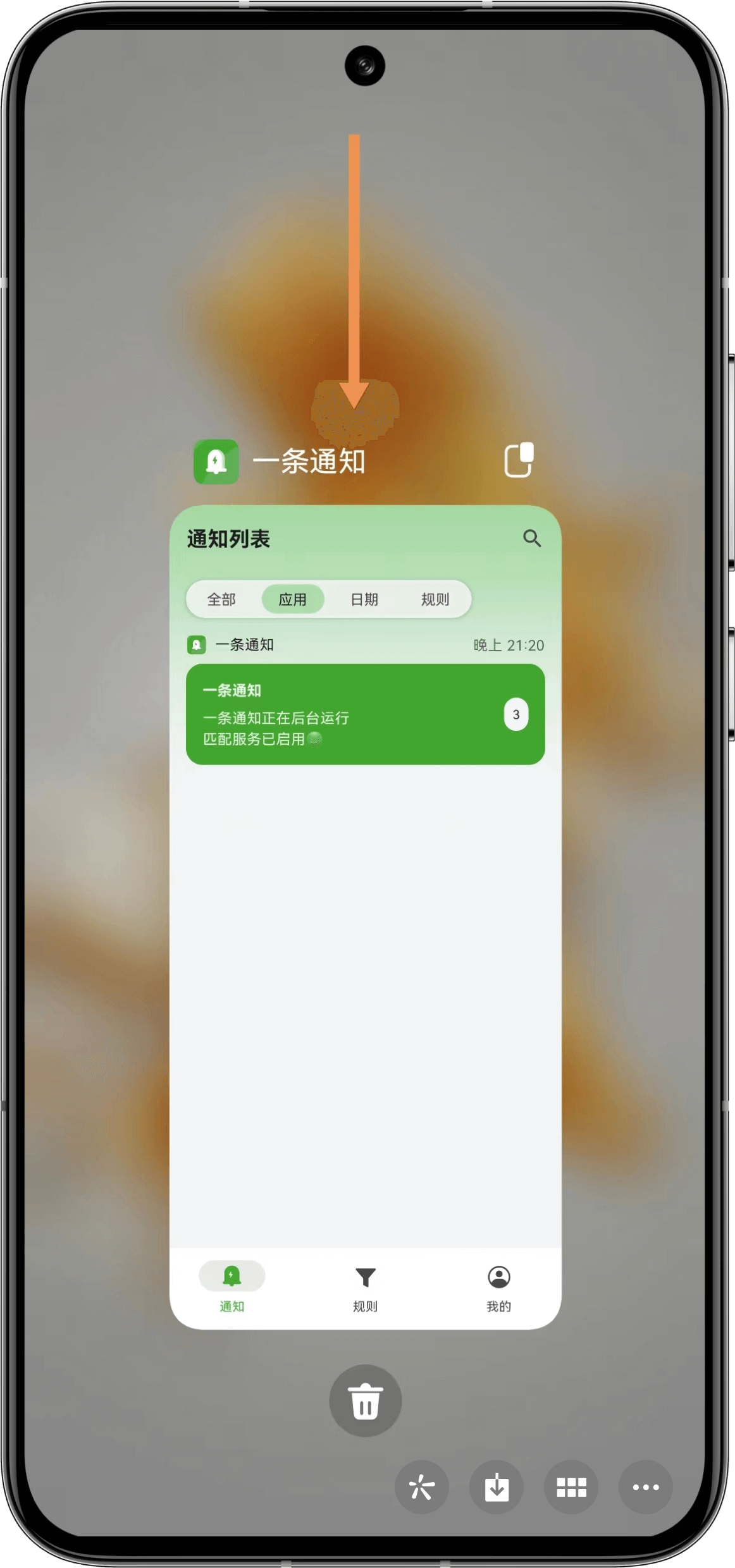
| Pull down background lock | Set background lock |
 |  |
| Enable background hiding | |
|