Tutorial - Using Regular Expressions to Match Notifications
I. Overview
OneNotify is a powerful notification management tool that can automatically match and process phone notifications based on user-defined rules. This tutorial will detail how to use regular expressions to match SMS verification code notifications.
II. Preparation
Download and Install OneNotify APP: If you haven't installed OneNotify yet, please download and install it from the app store.
Register and Log in (Optional): Some tasks may require VIP membership to execute, non-VIP features can be used without logging in.
III. Create Regular Expression Matching Rules
Example
Match SMS verification code notifications, automatically copy numeric verification codes and read them out.
- Enter Rule Editing Interface:
- Click the + button in the lower right corner to create a new rule.
- Set Matching Conditions:
Only SMS notifications will trigger this rule
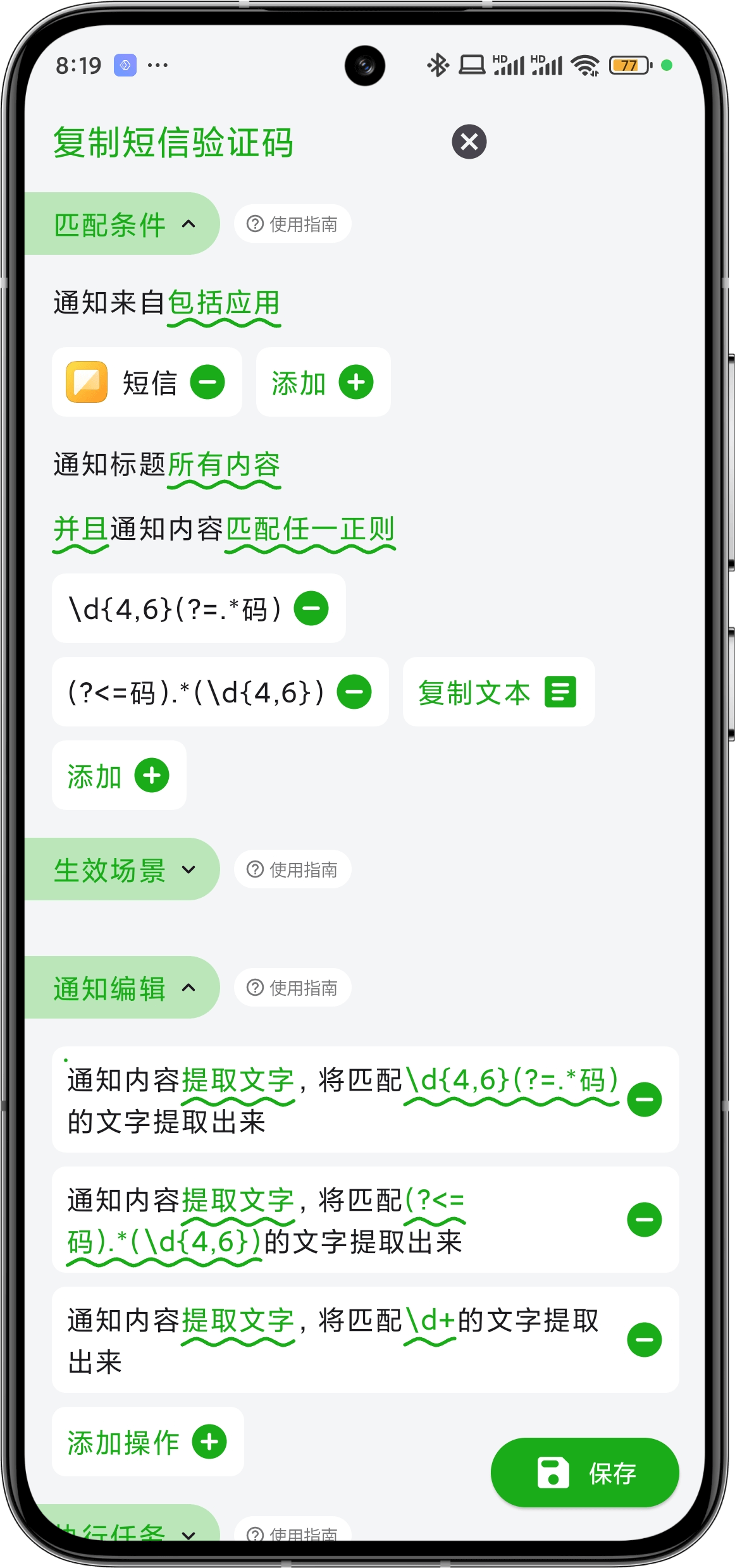
- Notification Source: Select SMS.
Generally, SMS notification titles are phone numbers
- Notification Title: Keep default for all content.
Add multiple regular expressions to ensure matching various types of verification codes
For example: Your verification code is 123321; 567765 is your verification code
- Notification Content: Select Match Any Regular Expression.
- Set Active Scenarios:
- Keep default, indicating matching all scenarios.
- Edit Notification Content:
- Add Extract Text from Notification Content operation to extract the matched results.
- Set Execution Tasks:
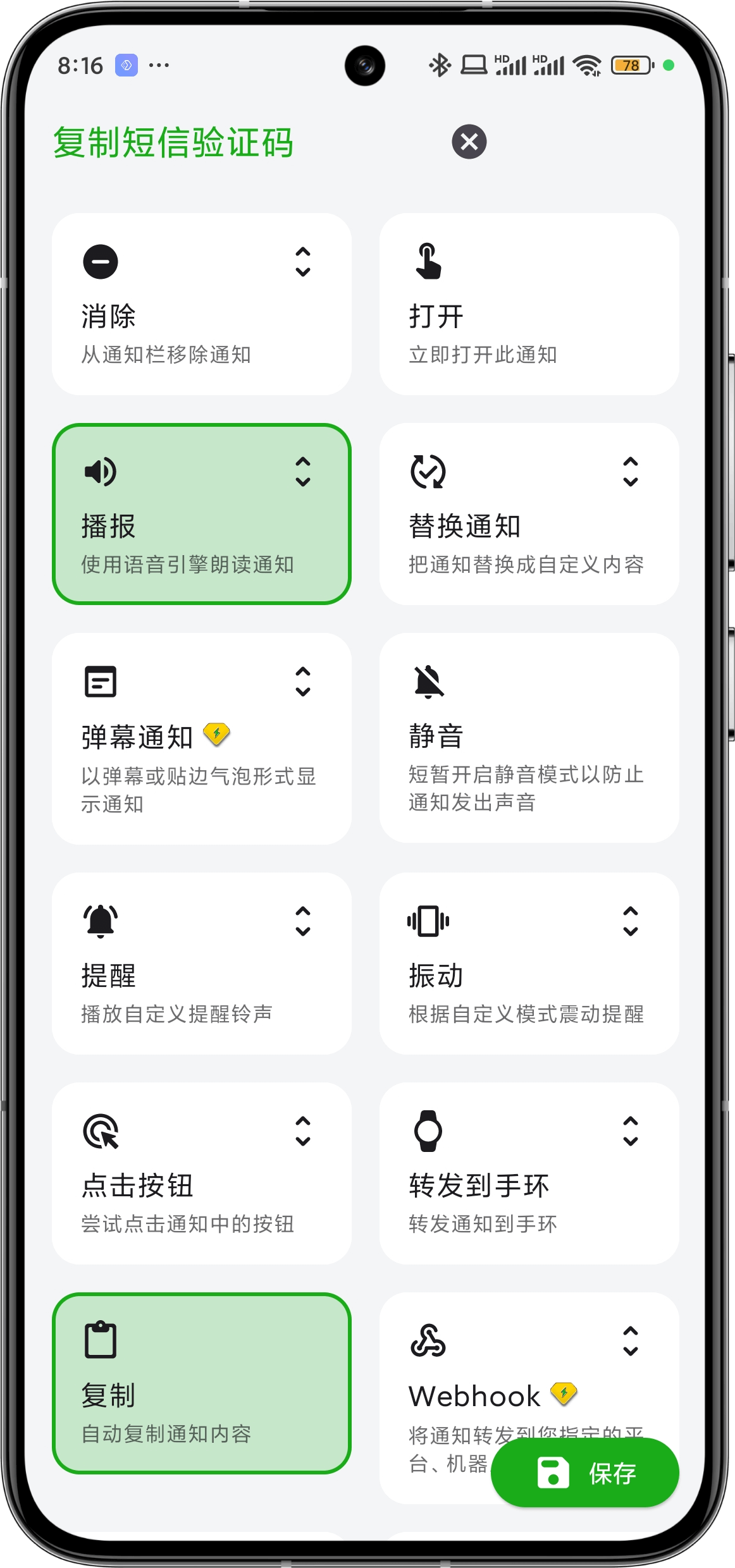
- Select Speak: So you can know the verification code without looking at your phone.
- Select Copy: Can directly paste the verification code.
| Match and Edit Notification | Select Execution Tasks |
|---|---|
 |  |
IV. Detailed Steps
1. Match Different Formats of Verification Code SMS
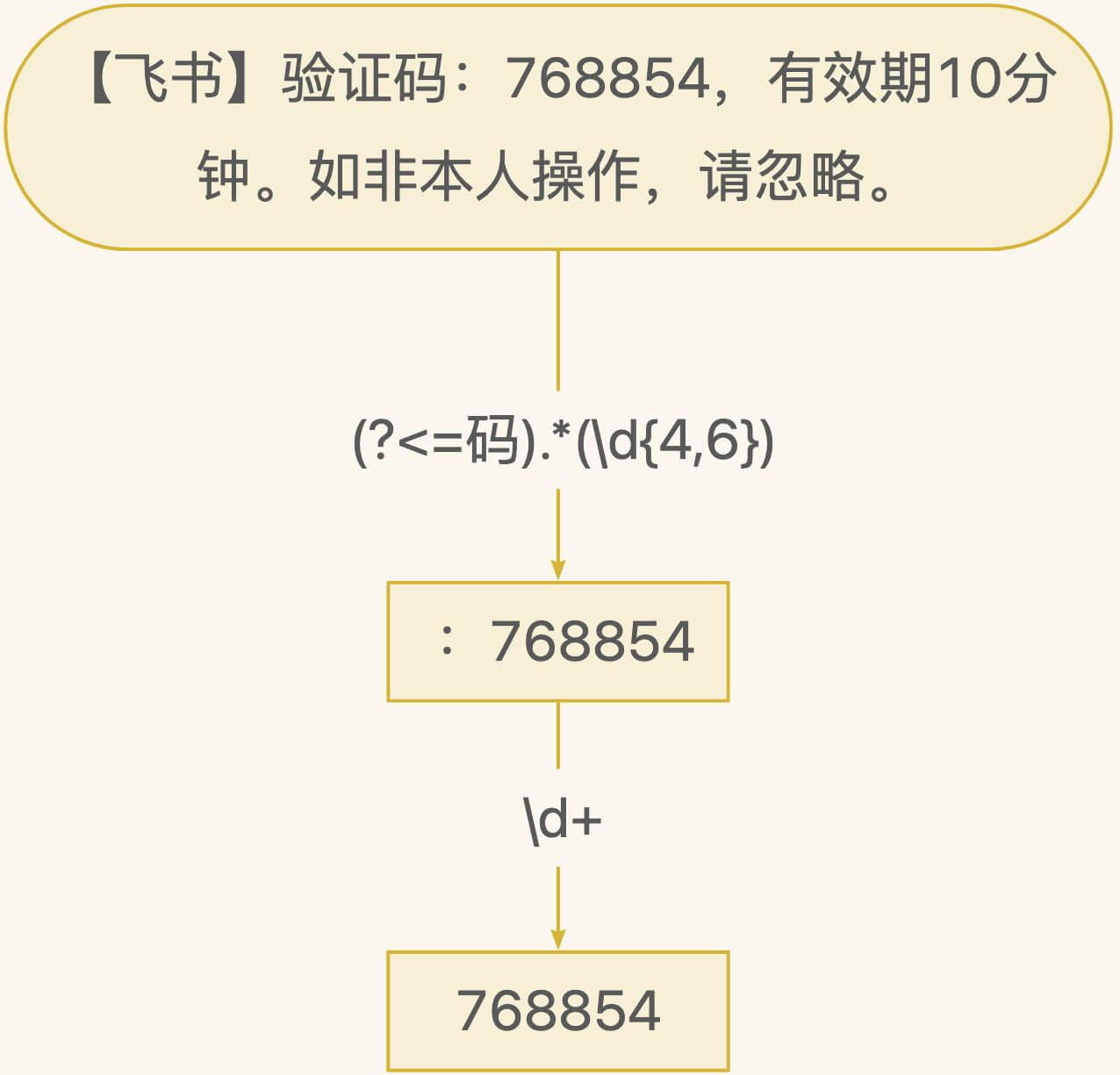
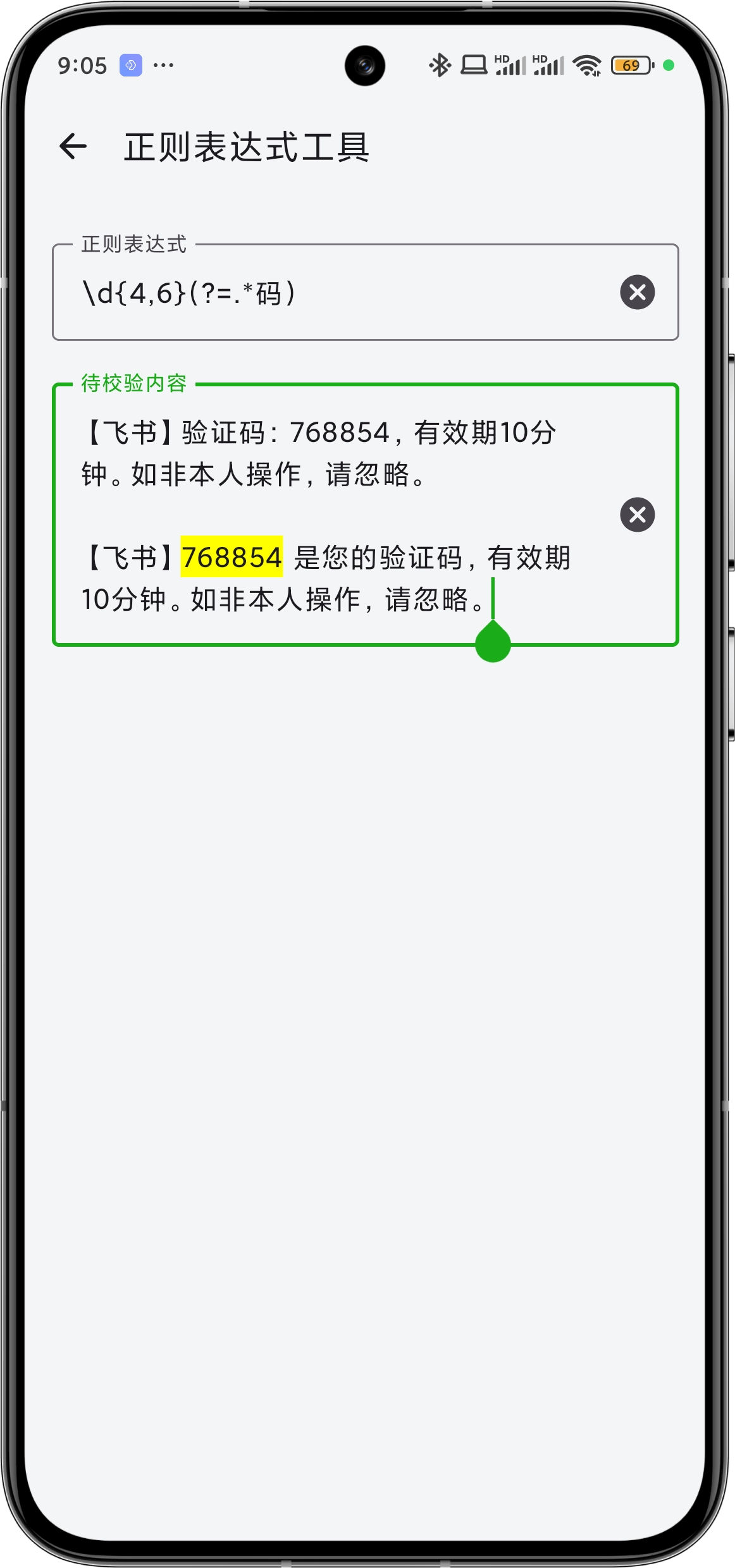
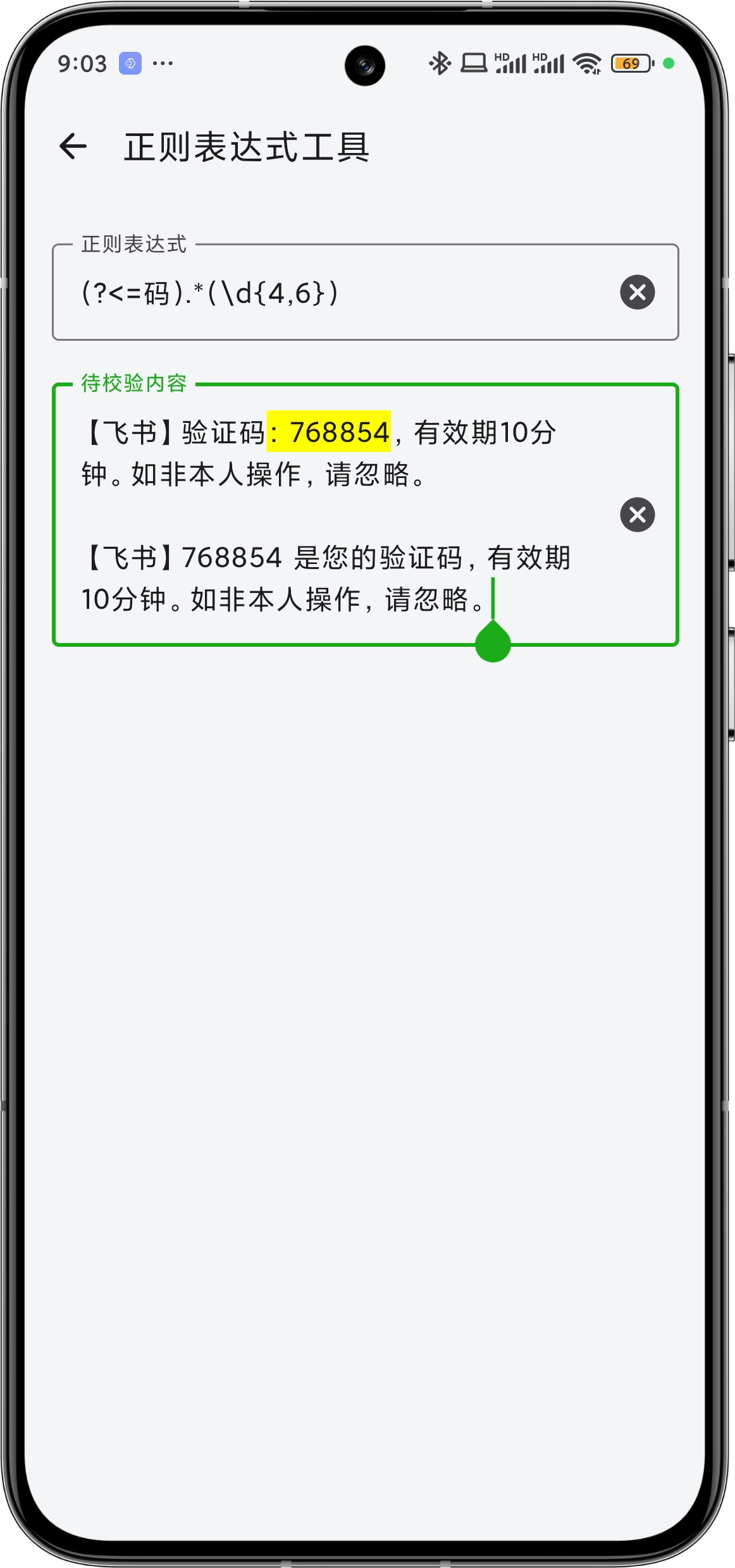
As you can see, the relative position of the word "verification code" and the six-digit verification code is not fixed, therefore, multiple regular expressions are needed to match different scenarios. Of course, in this case, you can also use a combined expression:
\d{4,6}(?=.*码)|(?<=码).*(\d{4,6})
to merge two regular expressions into one.
 |  |
2. Use Notification Edit to Extract Pure Numeric Verification Code from Matched Results
The highlighted parts in the above images are the parts matched by regular expressions, indicating that this SMS has been matched by the rule. Although some SMS can match the verification code itself in one go, there are exceptions like in Figure 2, where ":768854" is matched. Therefore, the step of using notification edit to further extract content is necessary.